Creating a New Item
Creating a new item (Post, Event, Staff, etc.) in our CMS is very simple. In this example I will be creating a Post.
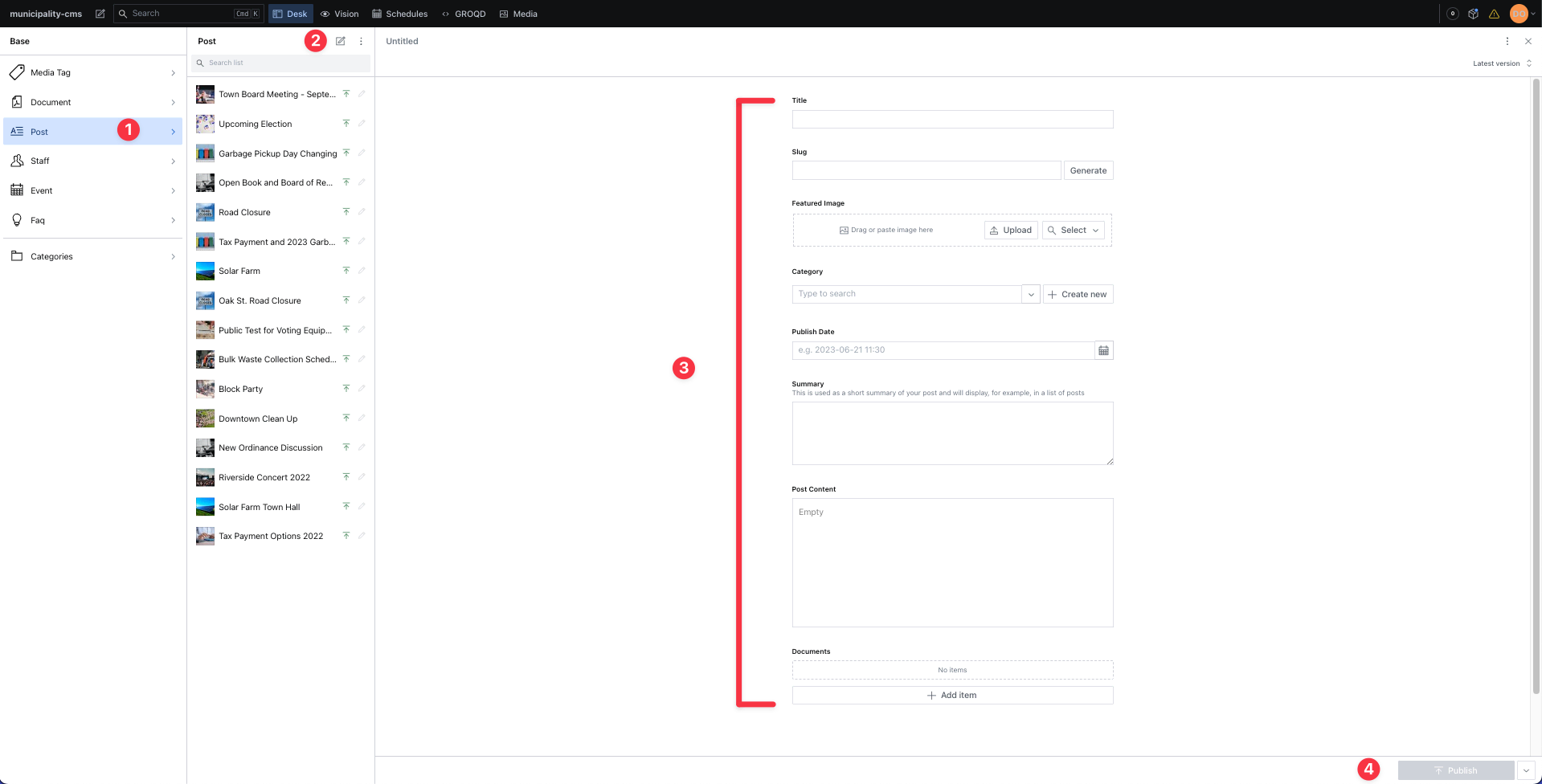
Choose the category for which you want to create a new item of in the left side bar ("Post").
Click the pen and paper icon to begin creating a new item.
Fill in the fields.
Click the publish button in the lower right corner. Keep in mind that updates generally take 1 minute to display on your website.
info
If the publish button is grayed out it means a required field is missing. When all required fields are filled out the publish button will be green.