Editing an Item
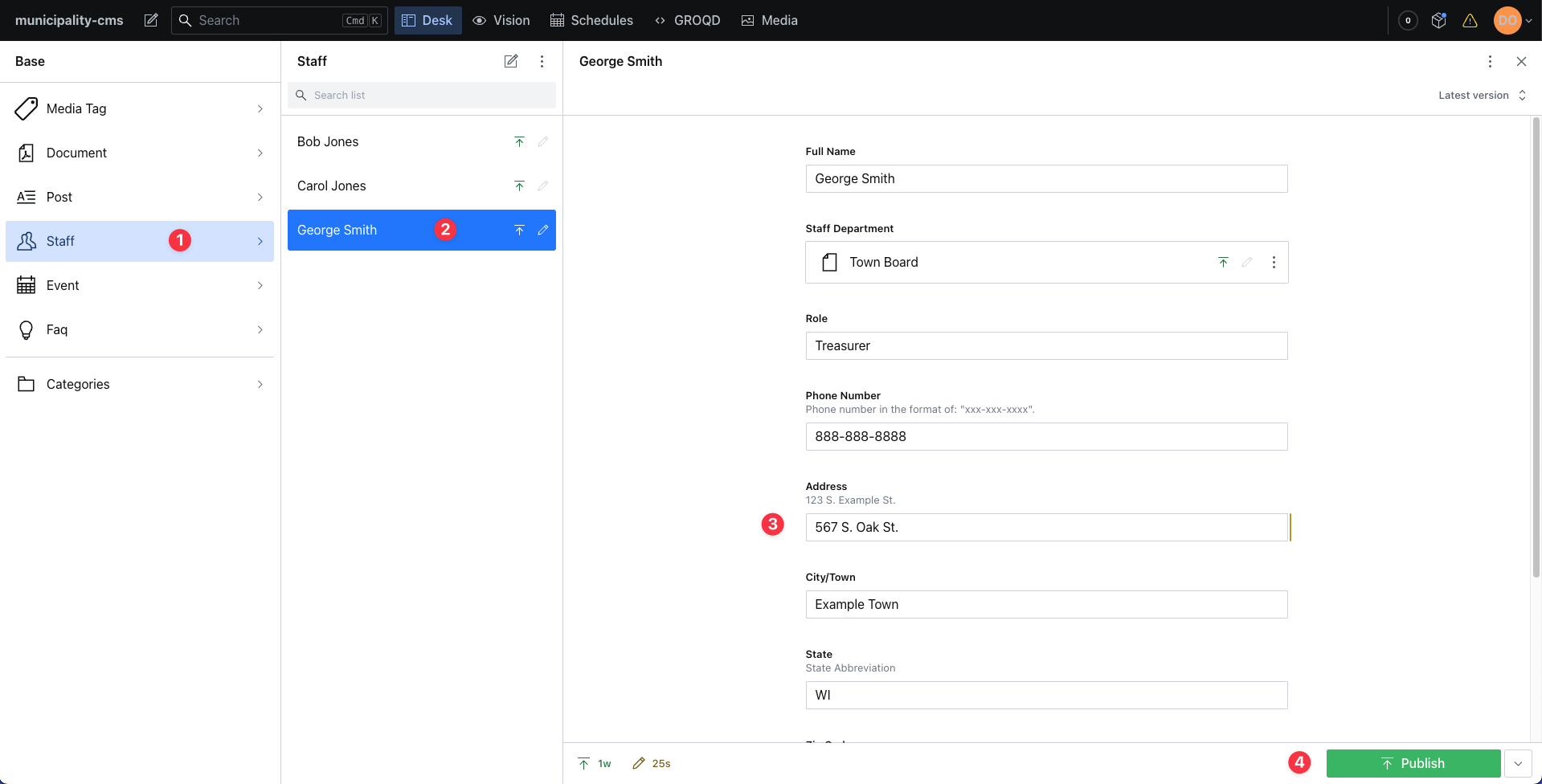
Select the item category you wish to edit in the left side bar. In this example I will be choosing "Staff".
Select the individual item you are looking to change. In this case I will be updating a staff members address so I've selected "George Smith" from the list of staff members.
Adjust the content in the fields on the right as needed. I've changed George's address from "123 Main St." to "567 S. Oak St."
The publish button now appears green again because there are unpublished changes to our staff member. Click publish to make these changes go live on the website. Keep in mind that updates generally take 1 minute to display on your website.
caution
Be sure to click publish to make the edits live!